Check your Google Maps rankings free with GBPly's local rank checker. Search any keyword your customers use and see your Google Business Profile ranking across a 25-point geo-grid, including your position at every location, average rank and top-3 coverage. Get 250 free map point scans every month. That's 10 standard 5×5 checks, or spend them your way on any grid size or your own custom points.
Free account · 250 credits a month · No card needed
25 points across your area, not just one search from your office
Your position at every point, plus average rank and top-3 coverage
Save every check and compare over time
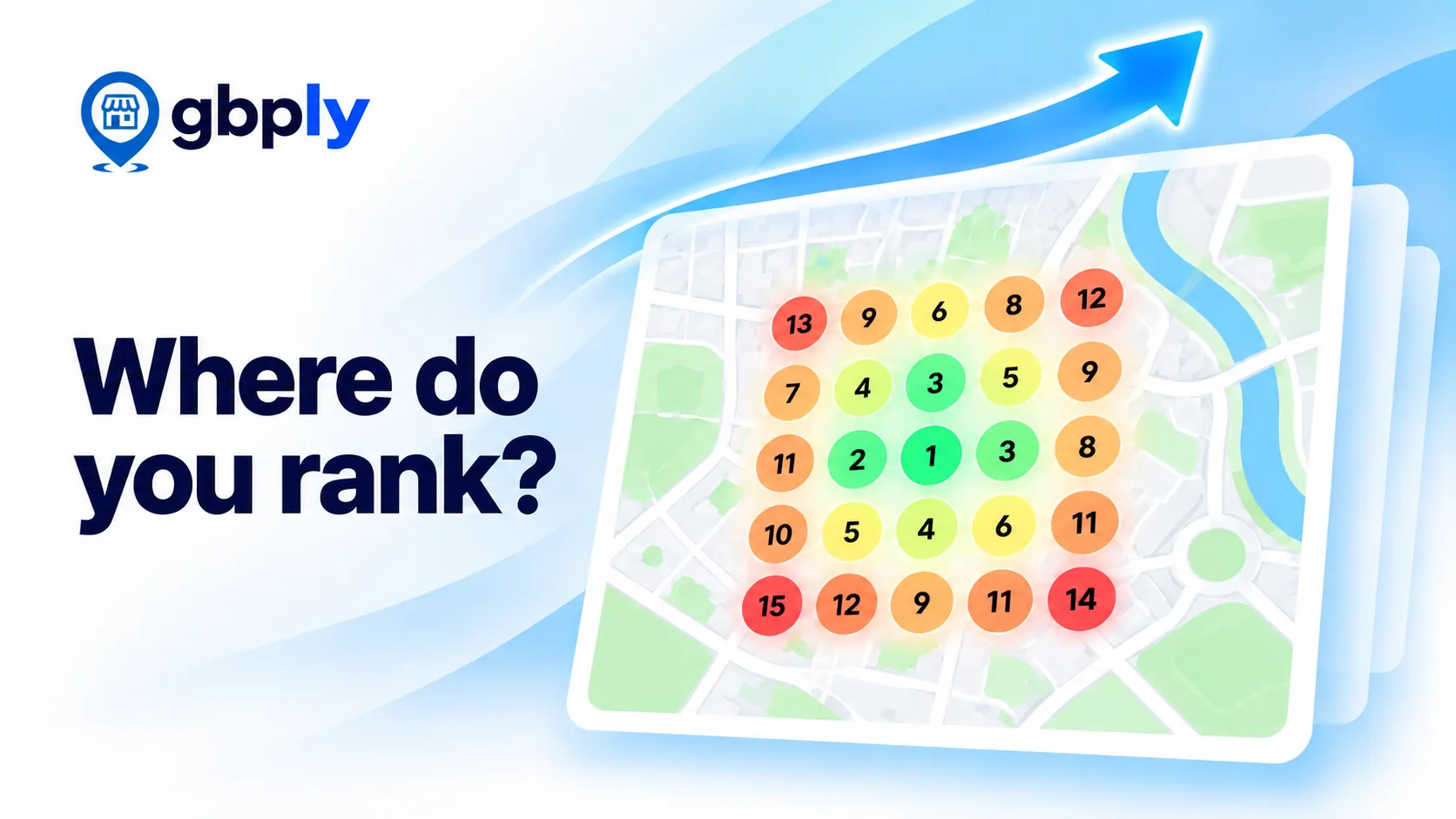
Example Google Maps Ranking Grid
Here's what a check looks like for the keyword "emergency plumber". Every number is the Google Maps position seen from that location. The business sits in the middle.
Average rank
5.8
Top-3 coverage
32%
Best position
#1
Points checked
25
Example data for illustration, not a real business.
9
6
4
7
12
5
3
2
3
8
4
2
1
1
5
7
3
2
4
9
17
8
6
10
—
1–34–1011–1516–20— not in top 20
How to Check Your Google Maps Ranking
A local rank checker shows where your business appears in Google Maps results for a search, measured from the places your customers actually search from.
1. Find your business
Start typing your business name and pick it from the list.
2. Enter a keyword
Use the words a customer would type, such as "emergency plumber".
3. See your grid
We search from 25 points around you and colour each one by your position.
Free Local Rank Checker for Google Maps: How It Works
A free local rank checker measures where a Google Business Profile appears for a keyword from different locations around the business. GBPly uses a geo-grid rather than reporting one ranking from one location, because Google Maps results change according to where the searcher is located.
Each check runs a live Google Maps search from 25 evenly spaced points around your business, looks at the top 20 results at each point, and records where your business appears. The result is a snapshot of one keyword on one day.
Why Google Maps Rankings Change by Location
Google says local results are based mainly on relevance, distance and prominence. Relevance is how well your profile matches the search, prominence is how well known your business is (reviews, links and mentions), and distance is how far the searcher is from you. Because distance changes with every searcher, you can be first on the street outside your door and off the list two miles away.
Google Maps Rank Checker, GBP Rank Checker or GMB Rank Checker?
These names usually describe the same type of local SEO tool. A Google Maps rank checker measures where a business appears in Maps results. A GBP rank checker or Google Business Profile rank checker refers to the profile being measured. You'll also see the older terms GMB rank checker and Google My Business ranking checker, because Google Business Profile was previously called Google My Business.
Map pack and local pack rank checkers are close relatives: the map pack is the short list of businesses shown with a map in normal Google results, and it's drawn from the same local rankings.
Google Maps Position Checker: Why One Ranking Isn't Enough
A Google Maps position checker tells you the numerical position of your business for a particular search. GBPly checks that position from 25 locations rather than only one, giving you a map of how your visibility changes around your service area.
A single position from one spot, often your own office, usually flatters you. The grid shows where customers further away can find you, and where competitors take over.
What Your Free Rank Check Shows
Your position at 25 points
Each point is coloured by where you rank there, so strong and weak areas stand out.
Average rank and top-3 coverage
One number for your overall visibility, and how much of the area sees you in the top 3.
Your rank at every point
Click any point to see your exact position from that spot.
A check is a snapshot of one keyword at one moment. Results can shift from day to day, so treat a single check as a guide, not a final score.
Free Rank Checker vs Full Rank Tracker
The free checker answers "where do I rank today?". If you need to track changes, cover bigger areas or report to clients, use our Google Maps rank tracker.
Feature
Free Rank Checker
Rank Tracker
Price
Free, 250 credits a month (10 standard checks)
250 credits per profile each month (1 per map point), plus pay-as-you-go credits
Grid size
25 points, or your own custom points
Larger, adjustable grids
Custom points
Yes (signed in)
Speed
Usually under a minute; may take longer at busy times
Instant, results in seconds
Your rank at every point
Who outranks you
Top competitors at every point
Scheduled rescans
Weekly, bi-weekly or monthly
History and trends
Trend charts across every scan
Rank Replay
Client reports
Basic one-page snapshot
Full detailed report, branded as your agency
Keywords per business
One per check
Track many keywords side by side
What 250 Free Map Point Scans Get You
You get 250 free map point scans every month. Every point on the map counts as one, and you choose how to spend them: any grid size, your own custom points, or a mix.
10 checks on a 5×5 grid
25 points each, our standard check
15 checks on a 4×4 grid
16 points each
27 checks on a 3×3 grid
9 points each, quick keyword tests
1 big 12×12 grid
144 points, with 106 scans left for more checks
50 custom checks with 5 points
Pins only where your customers are
Mix and match
For example, a few 5×5 checks plus some small custom checks
No fixed grid and no fixed number of checks. Scans reset every month and unused ones don't roll over.
Custom Points: Scan Only the Places That Matter
Most Google Maps rank trackers only scan a fixed grid around your business, so you pay to check fields, rivers and neighbourhoods you never serve. With Custom points you click the map to place up to 144 pins exactly where you want results, anywhere on the map. Drag a pin to move it, or click it to remove it.
Clusters, not squares
Drop a few points in each part of the city you care about and skip the areas you don't serve.
Only the towns you serve
Four towns close together but you only work in two? Zoom out and place points in just those two.
Wide areas without a huge grid
Check several cities up to 800 km apart without paying for every empty point in between.
Exact spots
A retail park, a train station or a competitor's street, checked from where your customers actually search.
Custom points are available on the free checker once you're signed in. Each point uses 1 point from your free monthly allowance, so you never spend it on grid points you don't need. The quick check at the top of this page uses the standard 5×5 grid.
Want to See How Rankings Change Over Time?
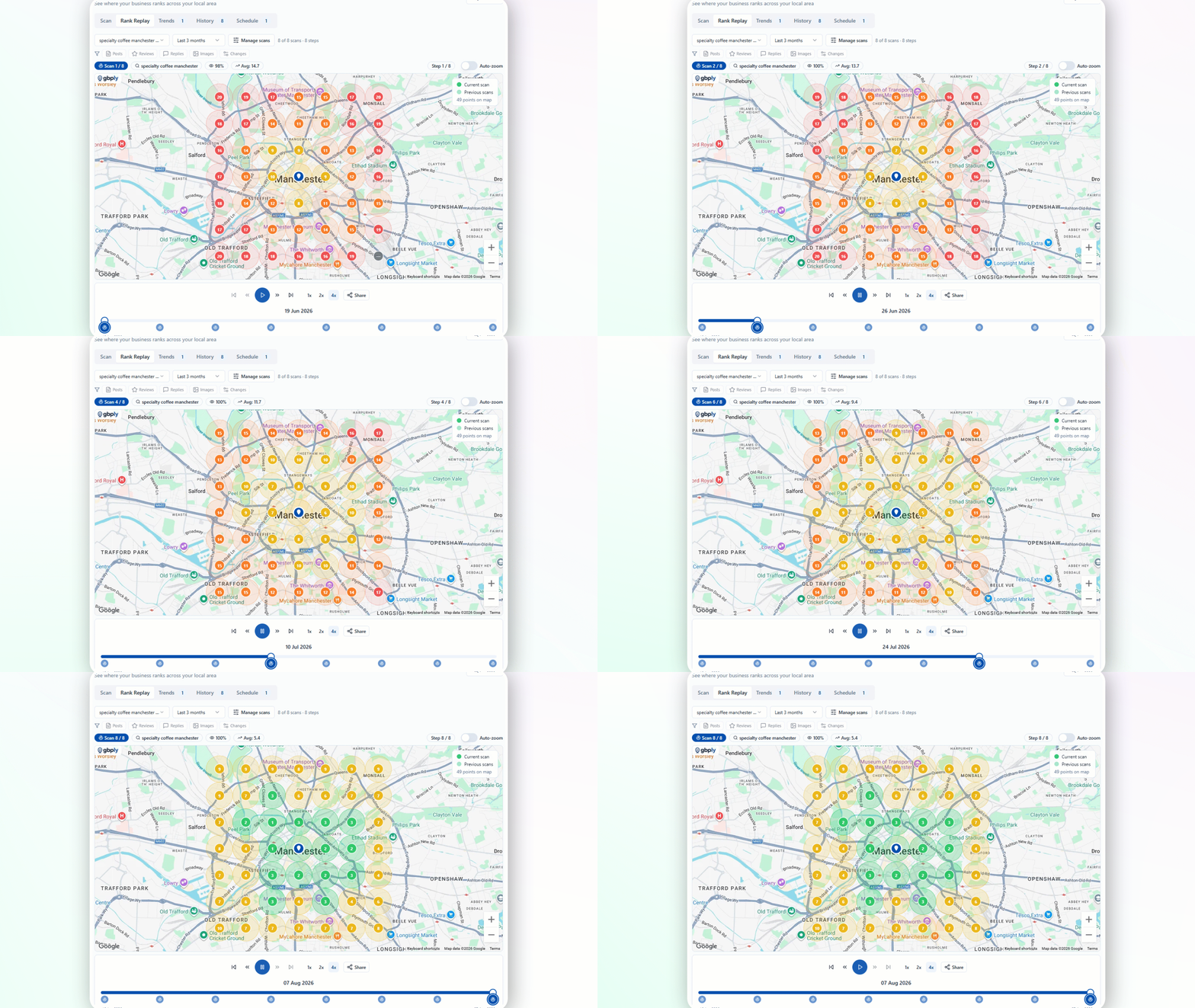
Rank Replay plays back your saved scans as an animation, so you can watch your visibility spread (or shrink) across the map over weeks and months. It's useful for showing a client the effect of ongoing work.
See whether customers across town can find you for the services you offer, and check again after you update your profile.
Marketers and agencies
Run a quick check on a prospect before a pitch. For finding new prospects, see Lead Finder, and for client tools, our platform for agencies.
For developers: the Free Rank Checker API
Run the same 5×5 map ranking checks from your own software, CRM or scheduled jobs. Keys are created in the app, belong to one workspace, can be revoked at any time, and use the same free allowance and credits as checks run here. See the Developer API guide.
Rated 4.9 out of 5 from 39 GBPly customers.
What our customers say
D
Super Powerful
This is a complete platform, nothing left out. I am still learning all the options and ways to optimize, the system is so vast.
The reports are also extremely insightful.
Thank You
GBPly is a 1st class product. It has taken care of all the processes that I would typically need to think about and remember. This is a must have tool for me. I can't do with out it now.
Mike Martin comes through again. This software is packed with great features, including the rank tracker, which I love because you can show it to potential clients and prove they are not ranking. Just an all-around great piece of software.
Yes. Create a free account with your email and you get 250 free map point scans every month, enough for 10 standard 5×5 checks. No card is needed and there is no trial that turns into a paid plan.
How do the free map point scans work?
Each map point you check uses one scan. A 5×5 grid uses 25, a 3×3 grid uses 9 and a custom check uses one per pin. With 250 scans you could run 10 checks on a 5×5 grid, 27 on a 3×3 grid, 50 custom checks with 5 points each, or any mix. Scans reset every month and unused ones don't roll over.
Why is my ranking different from what I see on my phone?
Google Maps results change with the searcher's location. A search from your office, where you are closest, usually shows you higher than a search a few streets away. The checker searches from 25 points around your business so you see the whole area, not just one spot.
What does one check include?
One keyword, searched from a 25-point grid around your business. You see your position at every point, your average position and how many points put you in the top 3. Competitor details are part of the full Rank Tracker.
Which countries are supported?
The free checker currently works for businesses in the United States, Canada, the United Kingdom, Australia, New Zealand, Ireland and South Africa. The full Rank Tracker covers more countries.
Do I need to connect my Google Business Profile?
No. You search for your business by name. You don't need to sign in to Google or give GBPly access to your profile to run a free check.
How often should I check my local rankings?
Rankings move gradually, so checking the same keyword every few weeks, or after you make changes to your profile, is usually enough to spot a trend.
Does the free checker track my rankings over time?
Each free check is a one-off snapshot, and you can print a basic one-page report of it. Scheduled rescans, bigger grids, trend charts, Rank Replay and detailed client reports are part of the full Google Maps Rank Tracker.
Can I choose my own scan points instead of a grid?
Yes. When you're signed in, pick "Custom points" from the grid menu and click the map to place 1 to 144 points anywhere, up to 800 km apart. Each point uses 1 point from your free monthly allowance.
What is the difference between a rank checker and a rank tracker?
A rank checker gives you a snapshot of where you rank today. A rank tracker repeats the same search on a schedule so you can see how rankings change over weeks and months.
What is a GBP rank checker?
A GBP (Google Business Profile) rank checker shows where your profile appears in Google Maps results for a keyword. GBPly's free checker does this from 25 points around your business, so you see your ranking across your whole area.
Is a GMB rank checker the same as a Google Business Profile rank checker?
Yes. Google Business Profile used to be called Google My Business (GMB), so both names describe the same kind of tool.
Does the checker show Google Maps or normal Google rankings?
It shows Google Maps rankings, the local results for businesses. It doesn't check where your website ranks in normal Google search results.
What is a geo-grid rank checker?
A geo-grid rank checker runs the same search from a grid of points around a business and shows the ranking at each point. It shows how your visibility changes across an area, not just from one spot.
How accurate is a Google Maps rank checker?
Each point is a live Google Maps search from that location, so it reflects what a searcher there would see at that moment. Results can move from day to day, and personal search history can change what one person sees, so treat a check as a reliable snapshot rather than a permanent score.
Do I need to download an app?
No. GBPly is a web-based Google Maps rank checker, so it runs in your browser on a computer or phone. There's nothing to install.
Last reviewed September 2026
Check Your Google Maps Rankings Free
250 free map point scans every month. No card needed.
Essential cookies run the site. Optional analytics and marketing cookies (including the LinkedIn Insight Tag) help us understand usage and measure our advertising — they are not needed to use GBPly, and declining them costs you no functionality. See our Privacy Policy.